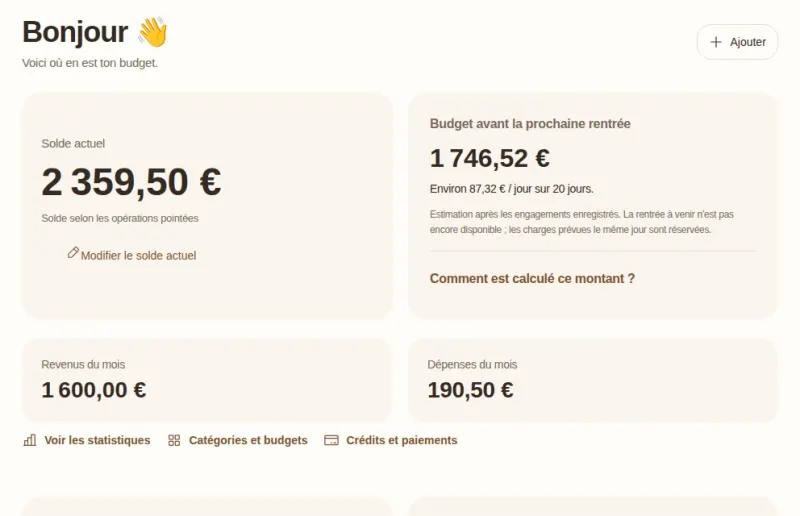
Plan your month-end
Your current balance, your budget until your next income and your month-end estimate are kept clearly separate.
Free budgeting app
Plan your month-end, anticipate your direct debits and grow your savings, with Goldy by your side.
The Goldy app is currently available in French.
See the demo Sample data only: nothing is saved to your budget.

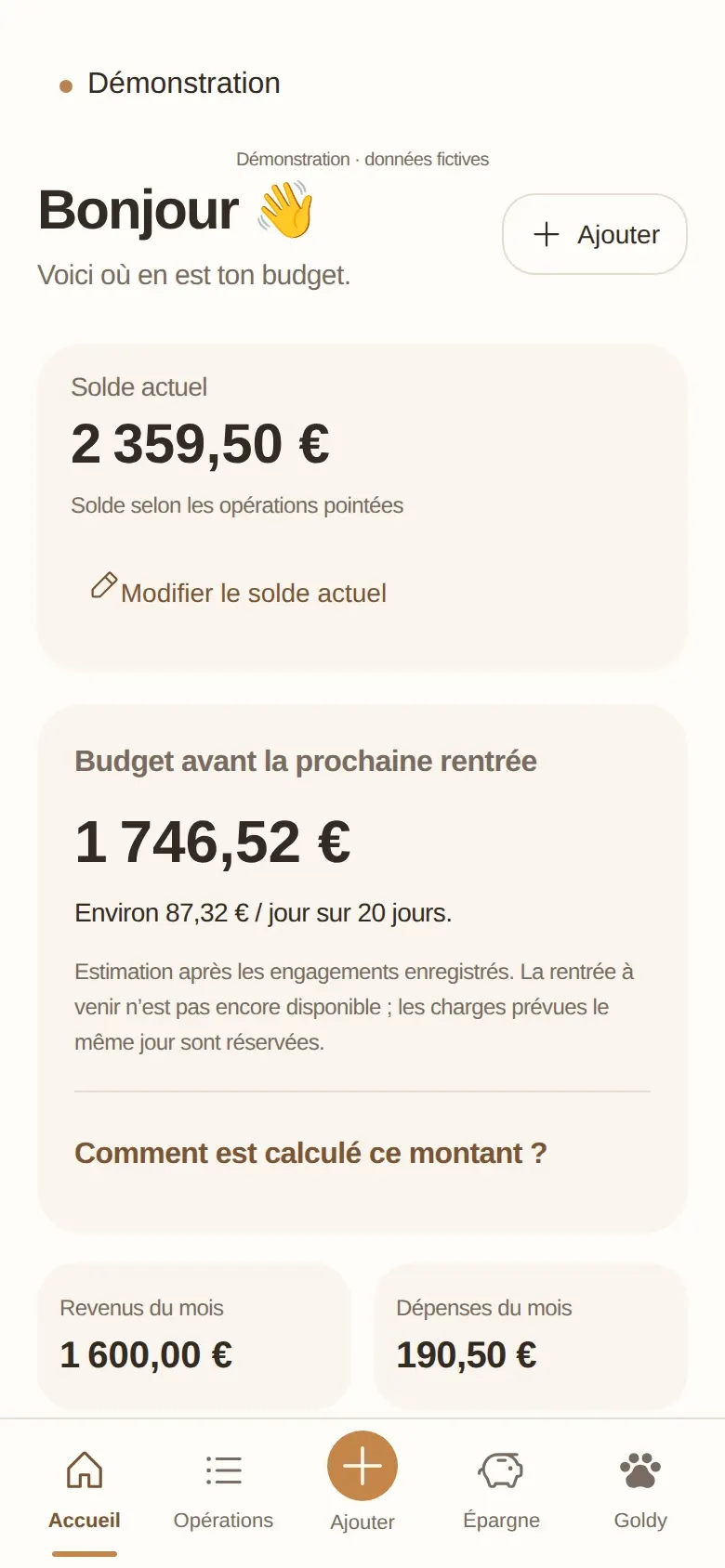
How it works
Just enter your account’s current balance. Goldy does not connect to your bank: you stay in control of your figures.
Rent, subscriptions, direct debits: choose a frequency once, and each payment appears on its date.
Goldy estimates what you would have left after your planned transactions, up to your next income.
Day to day
Your current balance, your budget until your next income and your month-end estimate are kept clearly separate.
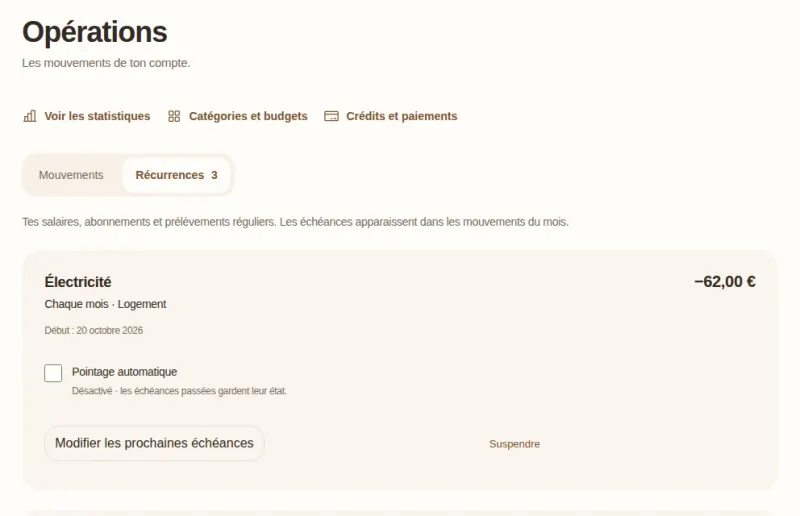
Each regular direct debit appears on its date. You tick off what has actually gone through.
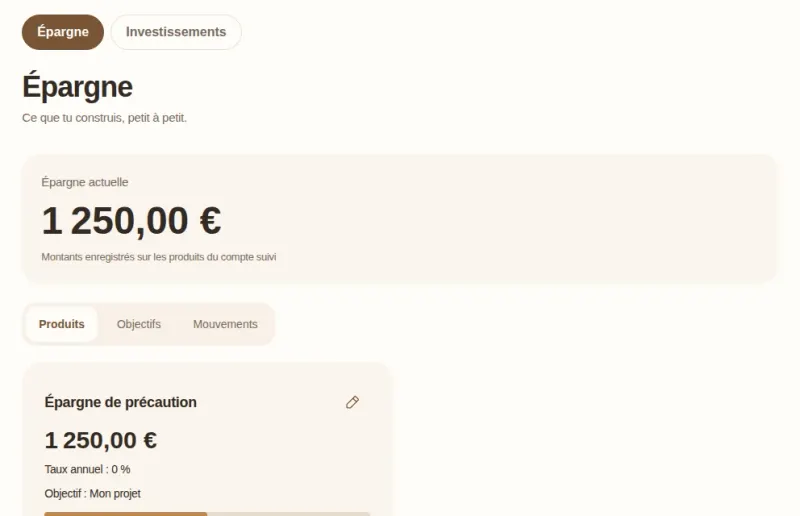
Savings accounts, goals, planned deposits: you see what you have put aside and what is left to do.
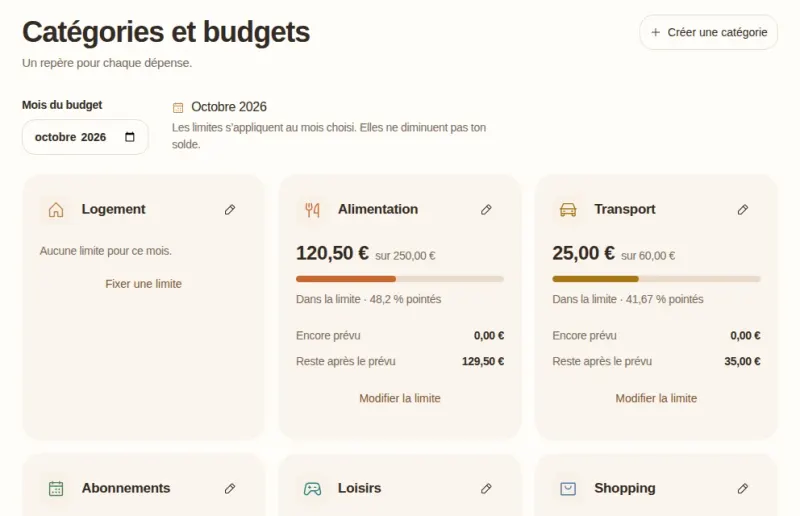
Set a limit for each category and see where you stand this month, without judgement.
Trust
Goldy works without an account: your budget is saved on your device.
Goldy never connects to your bank. You enter what you want to track yourself.
No targeted advertising, no audience measurement. Your financial data is never used for advertising.
An account is used for Goldy Cloud: syncing and backing up your budget across your devices, with your explicit consent.
Your figures stay with you.

Meet Goldy
Goldy is the app’s golden retriever. He answers your questions about your budget using your own figures, even offline.
Web or Windows
Nothing to install: open Goldy in your browser, on a computer or a phone.
An app to install, with its own engine: no browser needed.
Frequently asked questions
Yes. Goldy is free: no feature is kept behind a payment. Financial support is entirely optional.
No. You can use Goldy without an account. An account is used for Goldy Cloud, to sync and back up your budget across your devices.
On your device. If you turn on Goldy Cloud, a copy of your budget is also linked to your account for syncing.
No, never. You enter your transactions yourself: Goldy asks for no bank login details and no access to your accounts.
Start now, with no account and no bank card.