Features

Everything you need to keep track of your budget.

Eight simple tools that share the same calculation engine, in your browser as on Windows.

In the app: Accueil (Home)

See where you stand at a glance.

Your current balance, the budget available until your next income and your month-end estimate are shown separately. The link “Comment est calculé ce montant ?” (How is this amount calculated?) explains each estimate in detail.

An estimate depends on the transactions you have recorded.
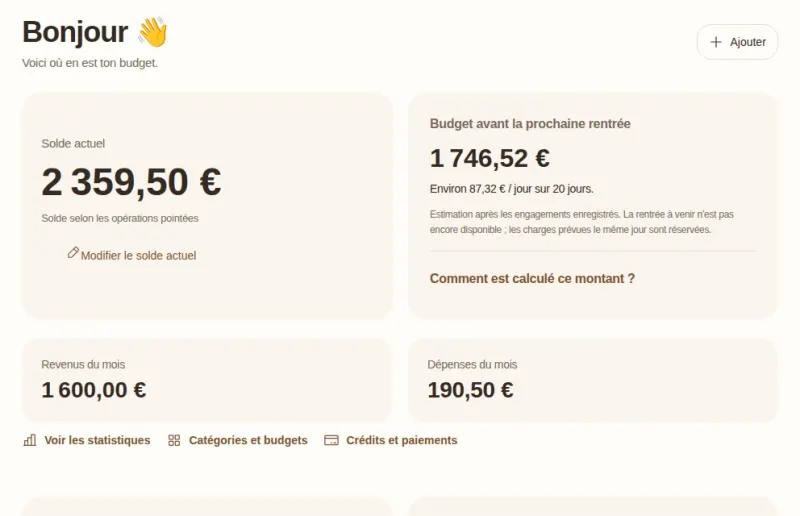
Goldy’s dashboard: current balance, budget until the next income with a daily average, and income and spending for the month.

In the app: Opérations (Transactions)

Find every transaction.

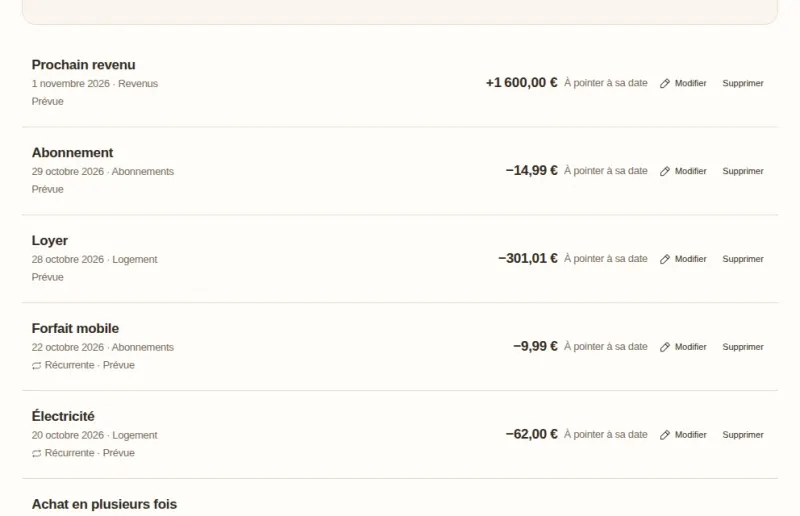
Search for a transaction, filter by status, type, category or period, and tick off the ones that have actually gone through. A planned transaction counts towards the forecast; a ticked-off transaction changes your current balance.

Goldy’s transaction list: income, subscriptions, rent and electricity with their date, category and status, planned or recurring.

In the app: Opérations › Récurrences (Transactions › Recurring)

Anticipate your direct debits.

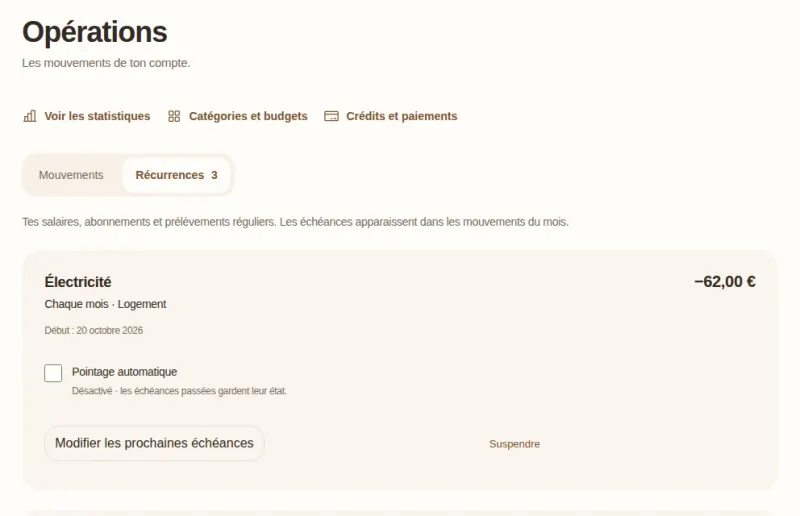
Salary, rent, subscriptions: choose a frequency (every week, month, quarter or year) and each payment appears on its date. Automatic ticking off can mark them as done, and you can pause a recurring transaction at any time.

Goldy’s Récurrences (Recurring) tab: a €62 monthly electricity direct debit, with automatic ticking off turned off.

In the app: Catégories et budgets (Categories and budgets)

Set your limits by category.

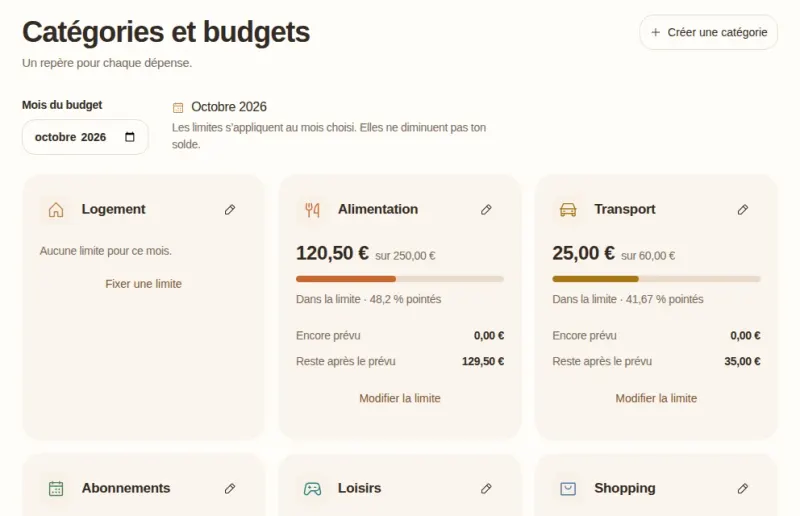
Organise your spending into categories and give yourself a monthly limit. For each category, you see what has already been spent, what is still planned and what is left.

A limit is a spending guide: no money is taken or blocked.

Goldy’s Catégories et budgets (Categories and budgets) page: monthly limits for food and transport, with the amount spent and what is left.

In the app: Épargne (Savings)

Grow your savings.

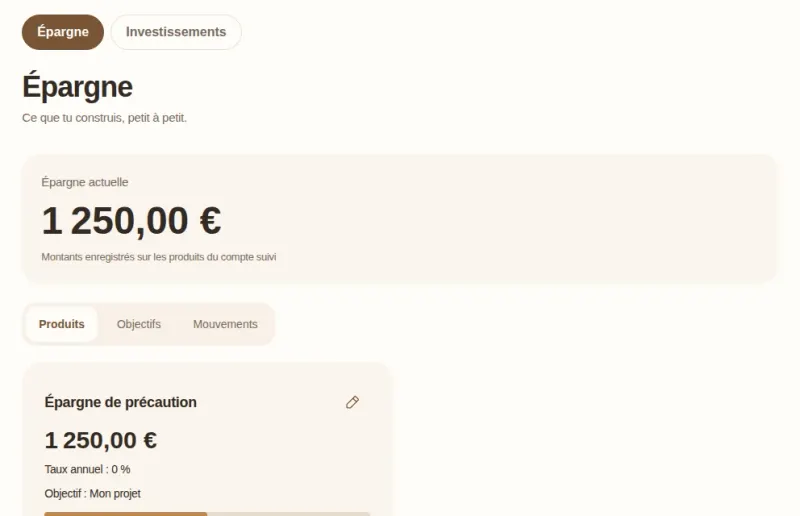
Track your savings accounts with the rate you enter, plan your deposits and withdrawals, and set yourself goals. Your investments are tracked separately, through the contributions you record.

Projections are based on your current capital and the rate you enter, excluding tax and rate changes. No regulated rate is applied automatically.

Goldy’s Épargne (Savings) page: €1,250 in current savings and an emergency savings account linked to a goal.

In the app: Crédits et paiements (Loans and payments)

Keep an eye on your loans.

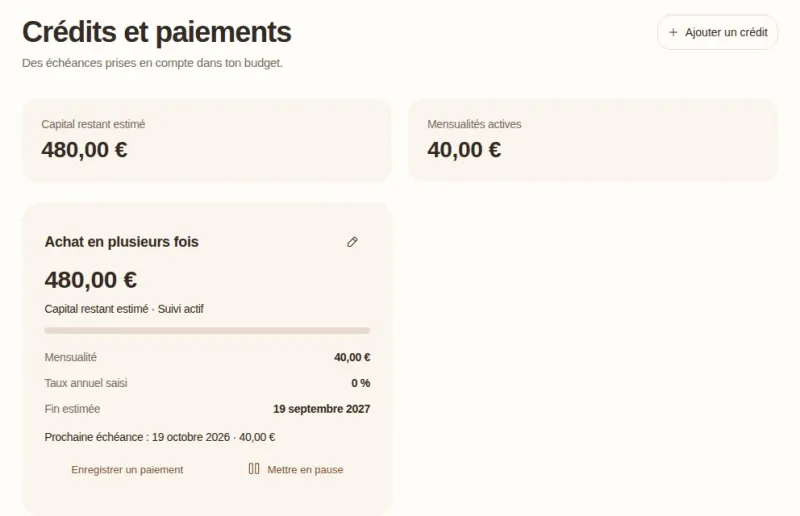
Monthly payments, estimated remaining capital and estimated end date, including for a pay-in-instalments purchase. The payments are taken into account in your budget.

These are estimates: they do not replace your bank’s statements.

Goldy’s Crédits et paiements (Loans and payments) page: a pay-in-instalments purchase with its estimated remaining capital, monthly payment and estimated end date.

In the app: Statistiques (Statistics)

Understand where your money goes.

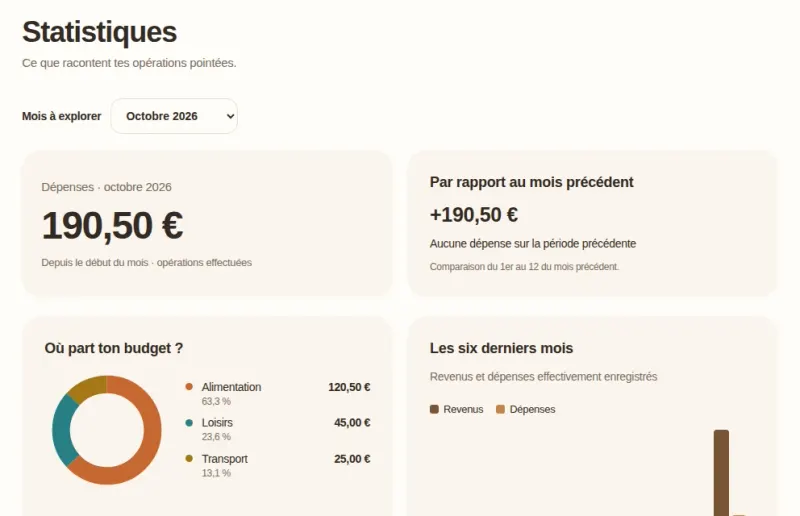
Your spending broken down by category, a comparison with the previous month and the trend over the last six months, based on the transactions you have ticked off.

Goldy’s Statistiques (Statistics) page: spending for the month, comparison with the previous month and spending broken down by category.

In the app: Compte et données (Account and data)

Keep a copy, sync if you want to.

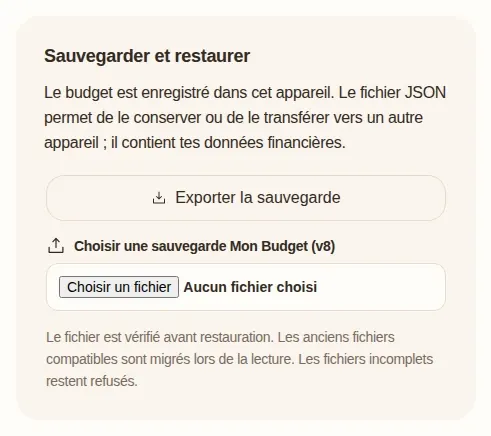
Export a backup of your budget in one click, then restore it on another device once the file has been checked. Goldy Cloud, which is optional, syncs your budget across your devices with your explicit consent.

If there is a sync conflict, Goldy never merges two versions without asking you which one to keep.

Goldy’s Sauvegarder et restaurer (Back up and restore) card: an Exporter la sauvegarde (Export backup) button and a choice of backup file to restore.

Fancy giving it a try?

Discover these tools with sample data, then start your own budget whenever you like.